This site requires javascript to be enabled.

KEB Hana Card (Authenticated) Skip to main content
Worldline Connect Home Page

Results for

Results for Searching

Consumer experience

Desktop flow

  1. Select the card brand to get redirected to the issuer's page/app.
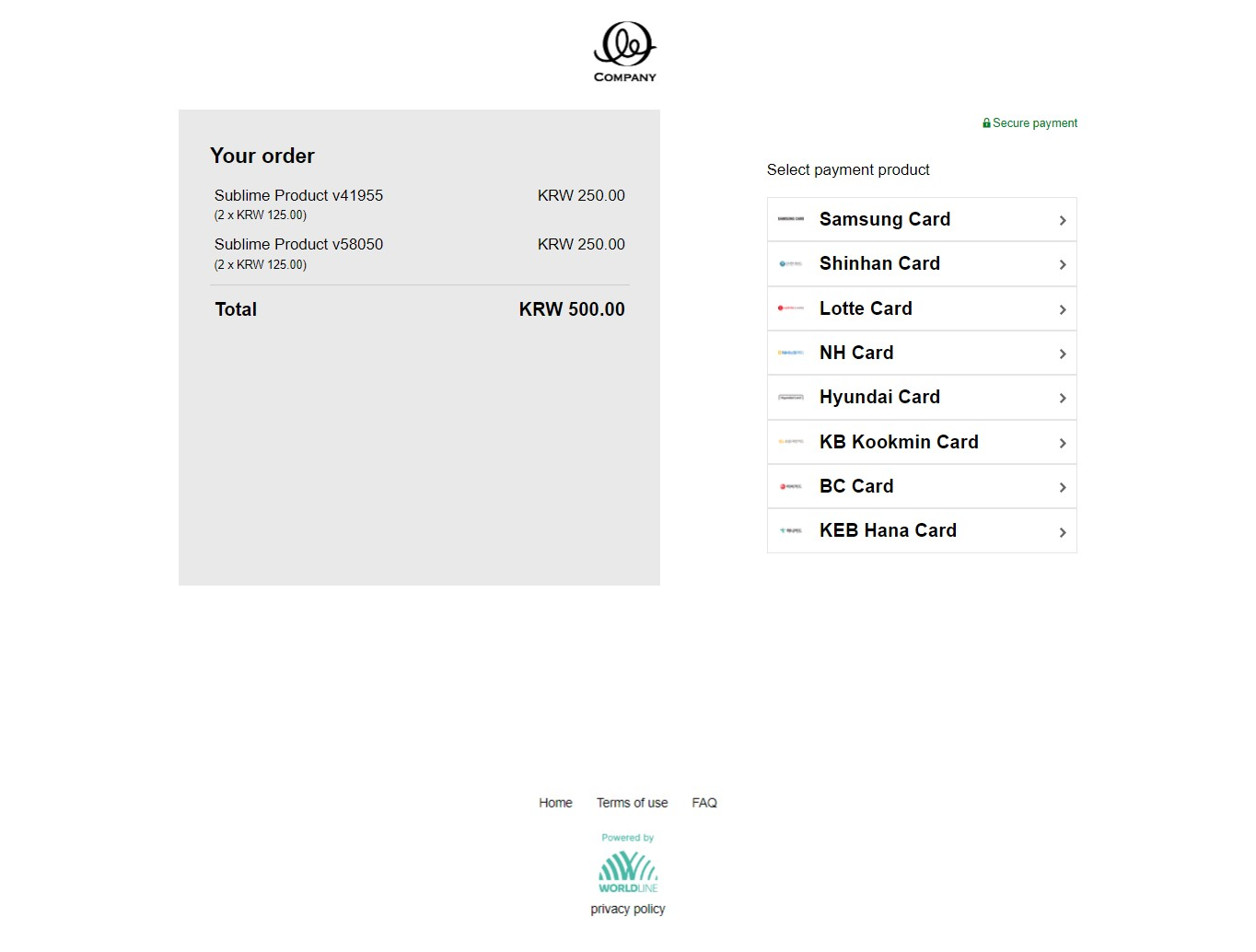
Checkout page showing KRW 500.00 order total and payment product list with Samsung, Shinhan, Lotte, NH, Hyundai, KB Kookmin, BC, and KEB Hana Card.

  1. Select the payment authentication option.
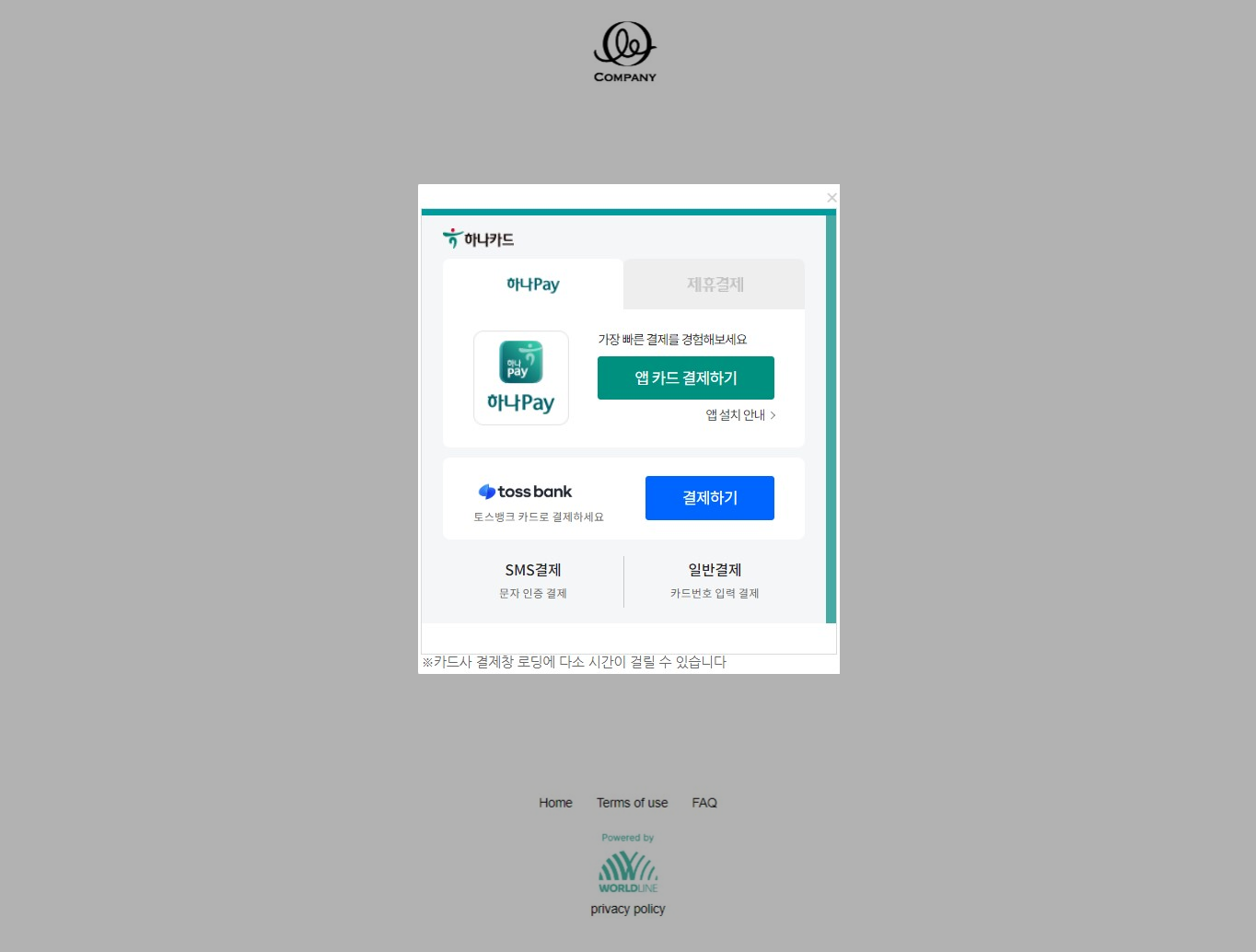
KEB Hana Card authentication page showing Hana Pay app payment, Toss Bank payment, SMS payment, and general payment options.

  1. Scan the QR code via the banking app to authenticate yourself. If authentication is successful, we send the authorization request to our local partner in South Korea. Within a few seconds, you get the authorization result.
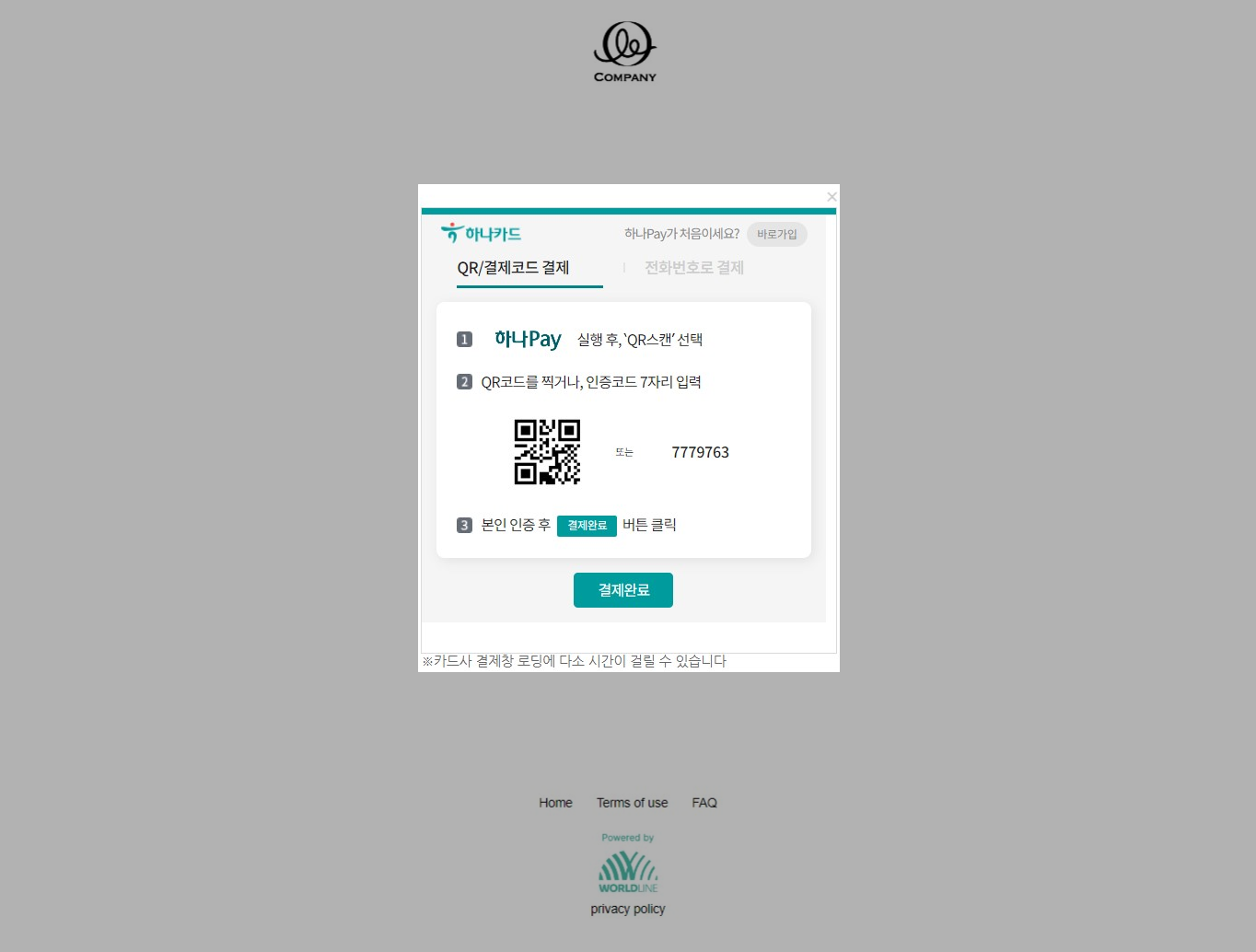
KEB Hana Card Hana Pay payment page showing QR code scan option, numeric code 7779763, and payment complete button.

  1. Click "Continue" to proceed and get redirected back to the source website.
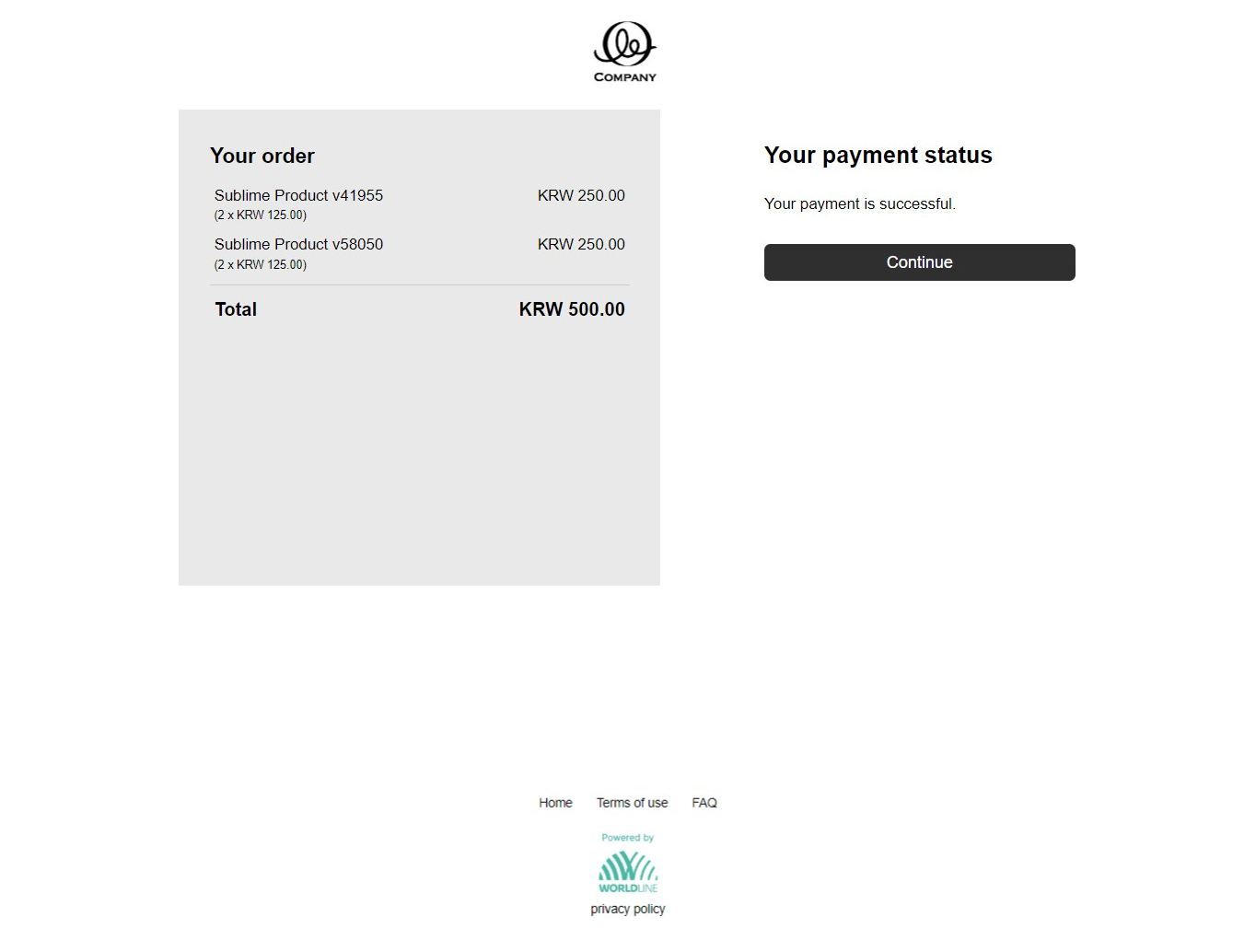
Payment status page showing KRW 500.00 order summary with two items and Your payment is successful confirmation message.

Desktop flow with installments

  1. Select the card brand to proceed further.
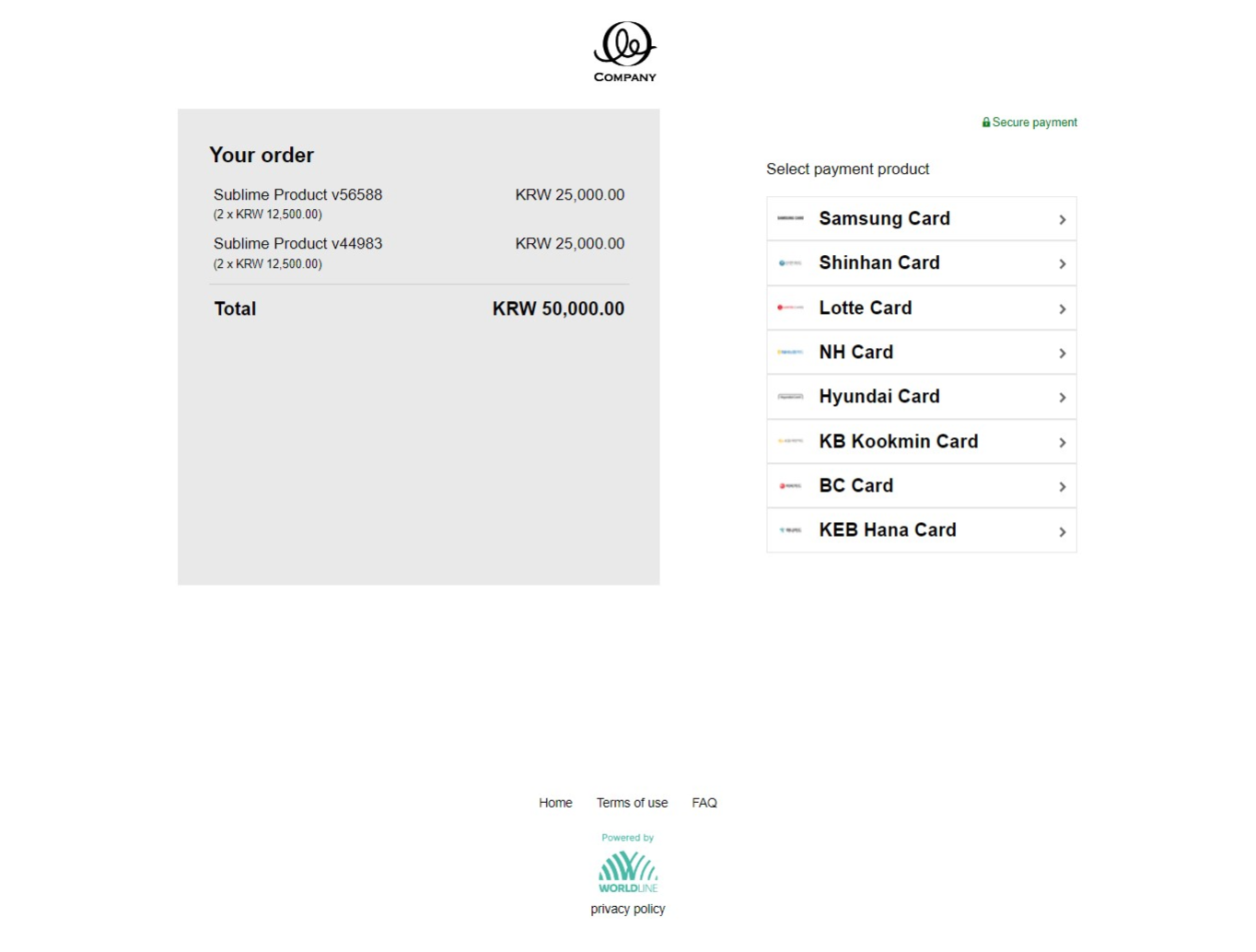
Checkout page showing KRW 50,000.00 order total and payment product list with Samsung, Shinhan, Lotte, NH, Hyundai, KB Kookmin, BC, and KEB Hana Card.

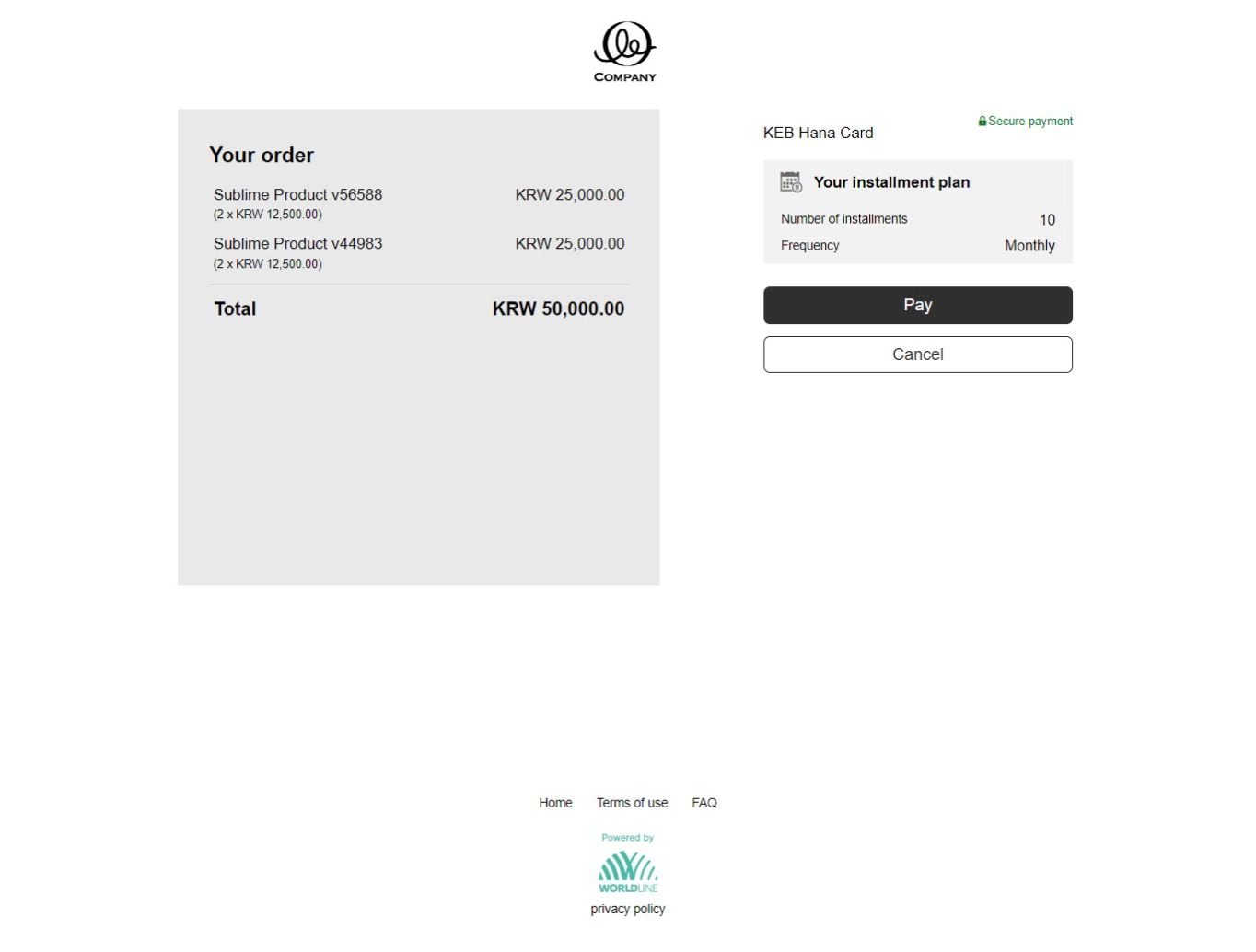
  1. Review the submitted installment details and click "Pay".
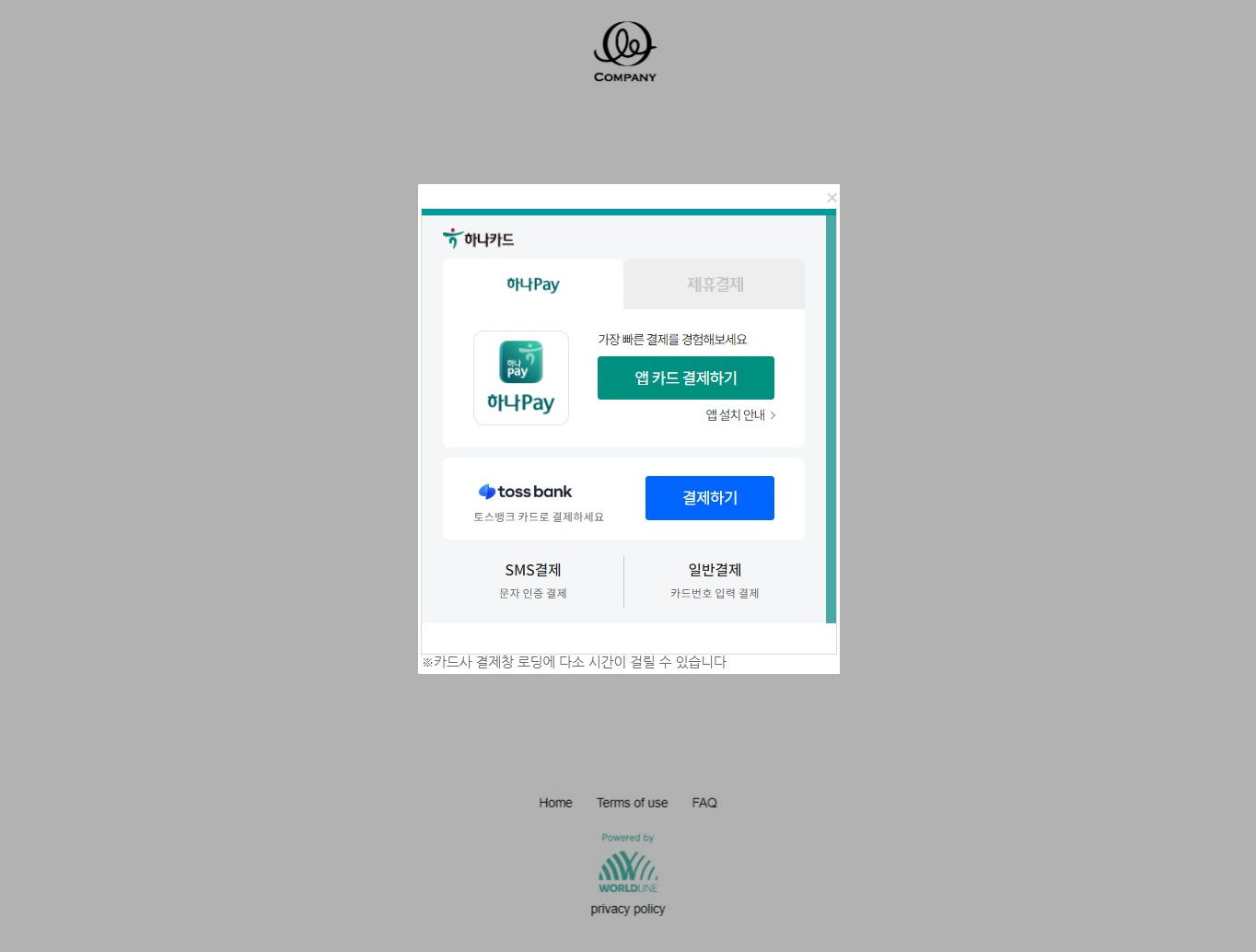
KEB Hana Card authentication page showing Hana Pay app card payment, Toss Bank payment, SMS payment, and general payment options.

  1. Get redirected to the issuer's page/app and select the authentication option (password/QR code).
KEB Hana Card payment page showing KRW 50,000.00 order with two items, 10 monthly installment plan, and Pay and Cancel buttons.

  1. Scan the QR code via the banking app to authenticate yourself. If authentication is successful, we send the authorization request to our local partner in South Korea. Within a few seconds, you get the authorization result.
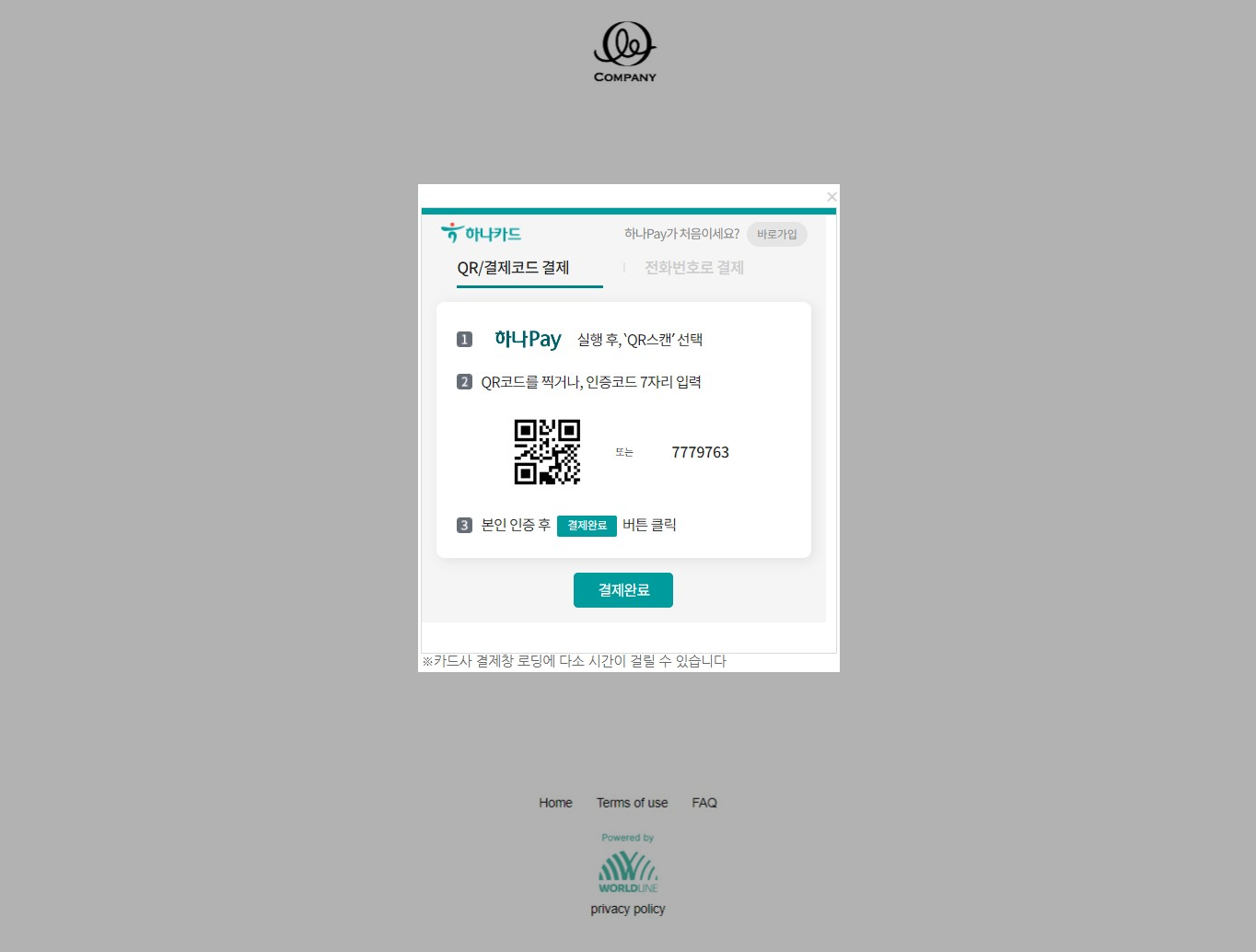
KEB Hana Card Hana Pay payment page showing QR code scan option, numeric code 7779763, and payment complete button.

  1. Click "Continue" to proceed and get redirected back to the source website.
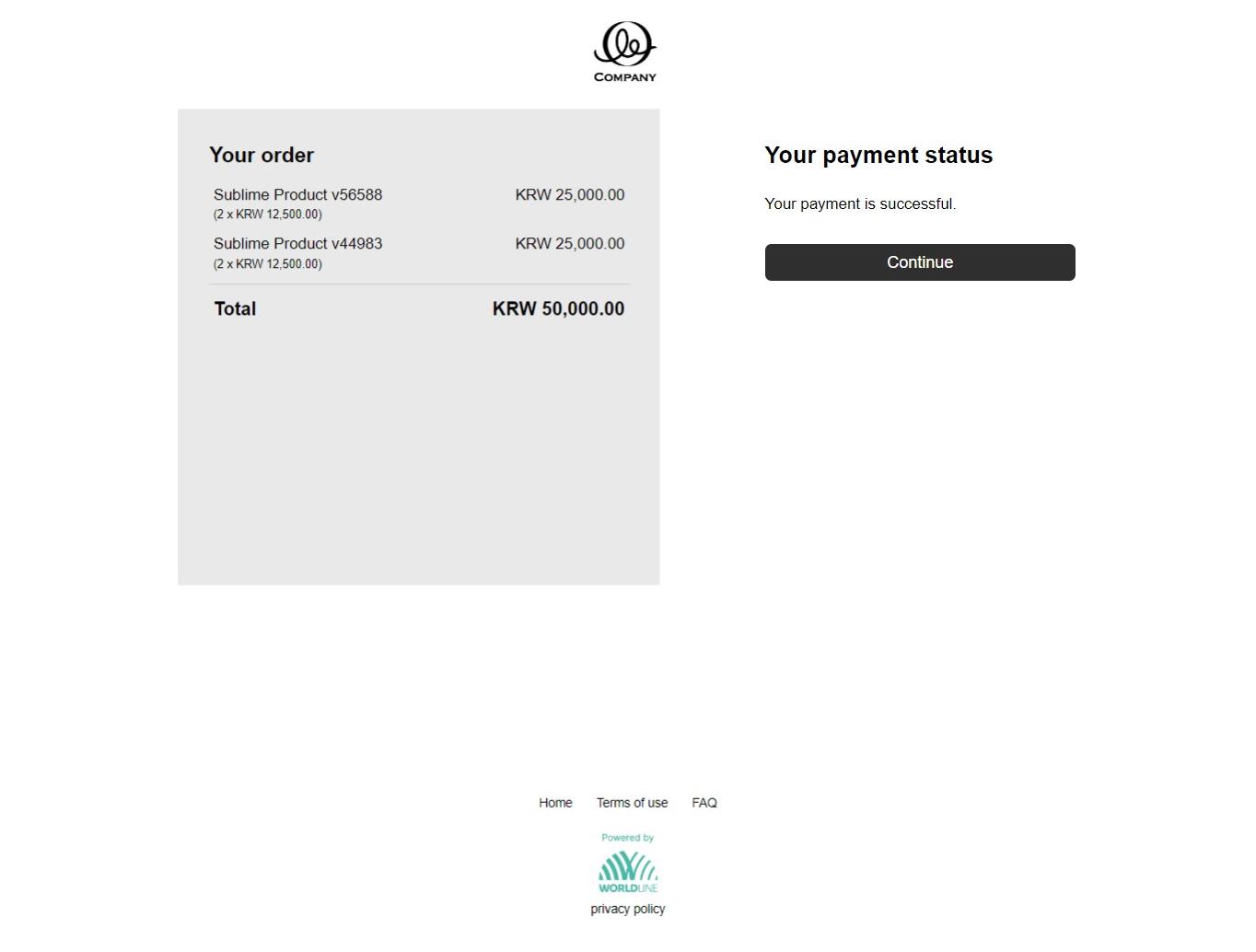
Payment status page showing KRW 50,000.00 order summary with two items and Your payment is successful confirmation message.

Mobile flow

  1. Select the card brand to proceed further.
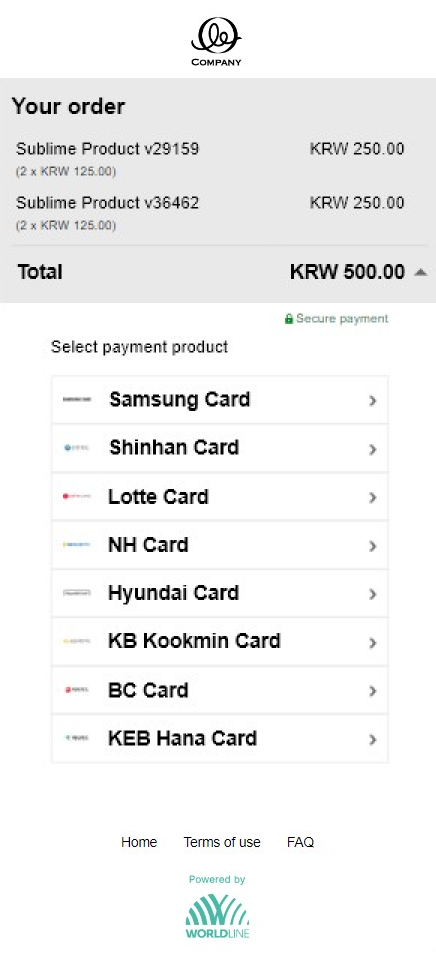
Mobile checkout page showing KRW 500.00 order total and payment product list with Samsung, Shinhan, Lotte, NH, Hyundai, KB Kookmin, BC, and KEB Hana Card.

  1. Get redirected to the issuer's page/app. Select the authentication option from the list. If authentication is successful, we send the authorization request to our local partner in South Korea. Within a few seconds, you get the authorization result.
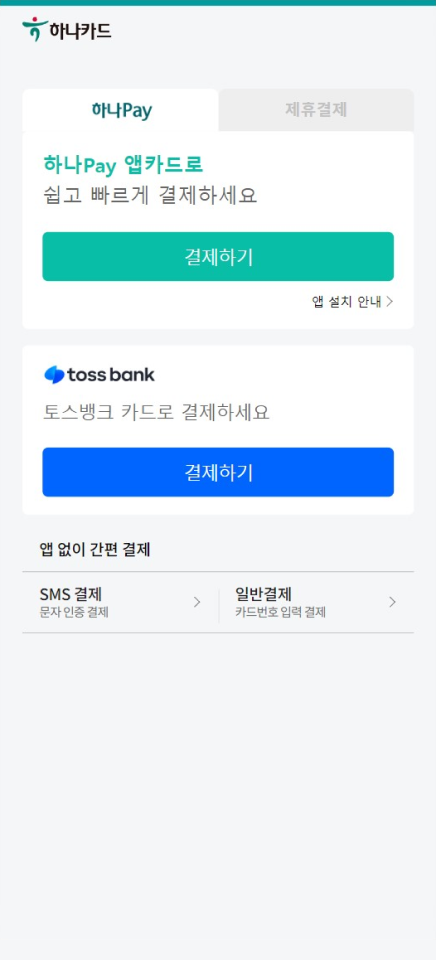
KEB Hana Card mobile authentication page showing Hana Pay app payment, Toss Bank payment, SMS payment, and general payment options. KEB Hana Card mobile Hana Pay page with Launch App button, Hana Pay install link, and Payment Complete confirmation button.
  1. Click "Continue" to proceed and get redirected back to the source website.

Mobile flow with installments

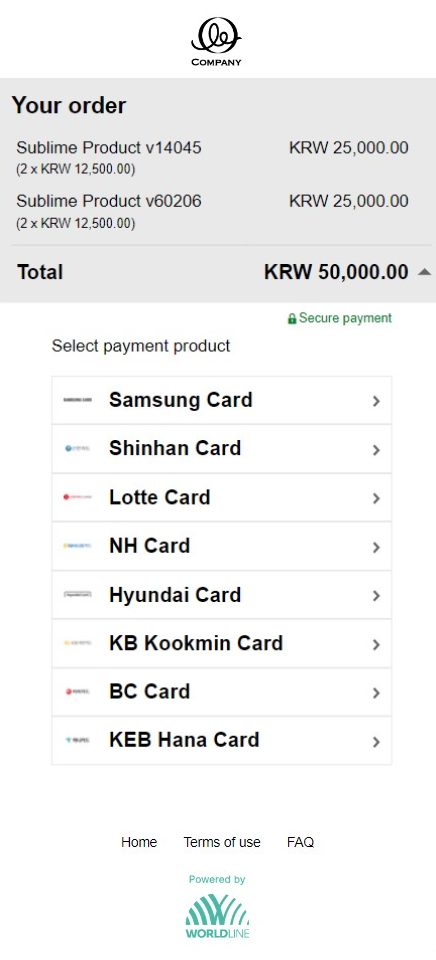
  1. Select the card brand to proceed further.

Mobile checkout page showing KRW 50,000.00 order total and payment product list with Samsung, Shinhan, Lotte, NH, Hyundai, KB Kookmin, BC, and KEB Hana Card.

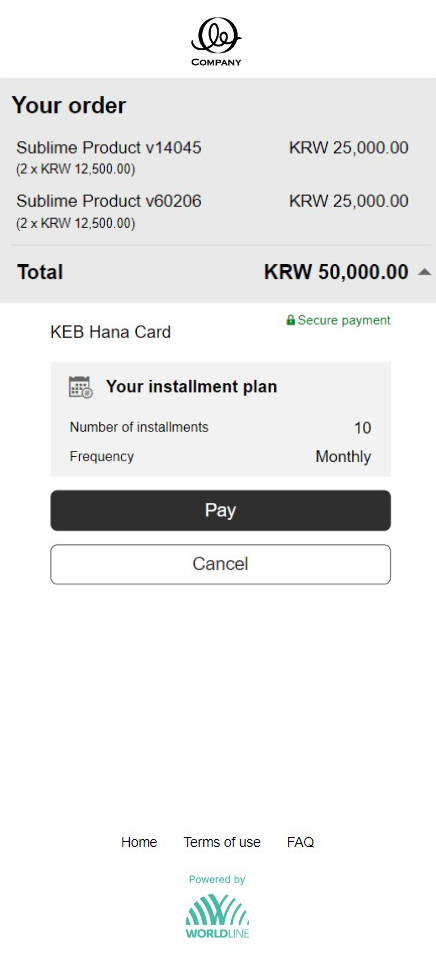
  1. Review the submitted installment details and click "Pay".

Mobile KEB Hana Card payment page showing KRW 50,000.00 order with two items, 10 monthly installment plan, and Pay and Cancel buttons.

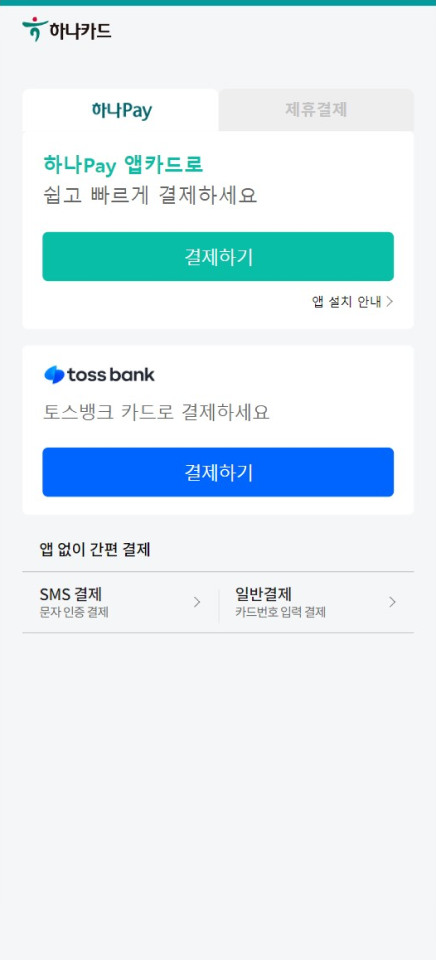
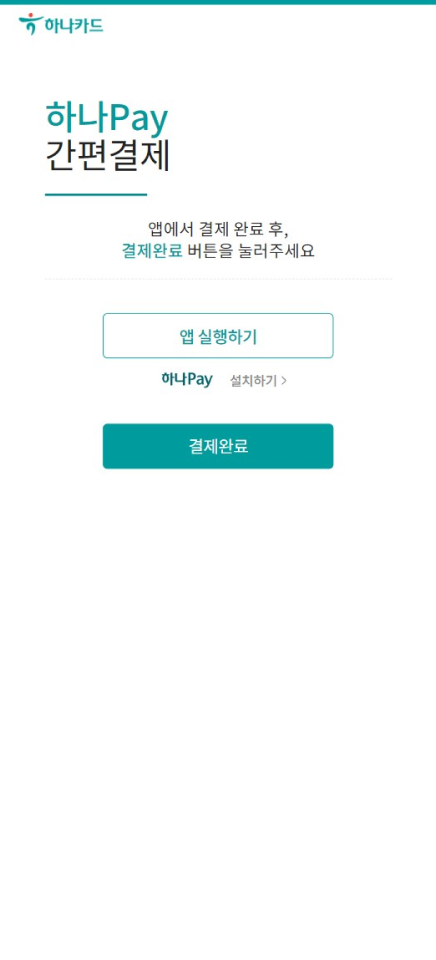
  1. Get redirected to the issuer's page/app. Select the authentication option from the list. If authentication is successful, we send the authorization request to our local partner in South Korea. Within a few seconds, you get the authorization result.
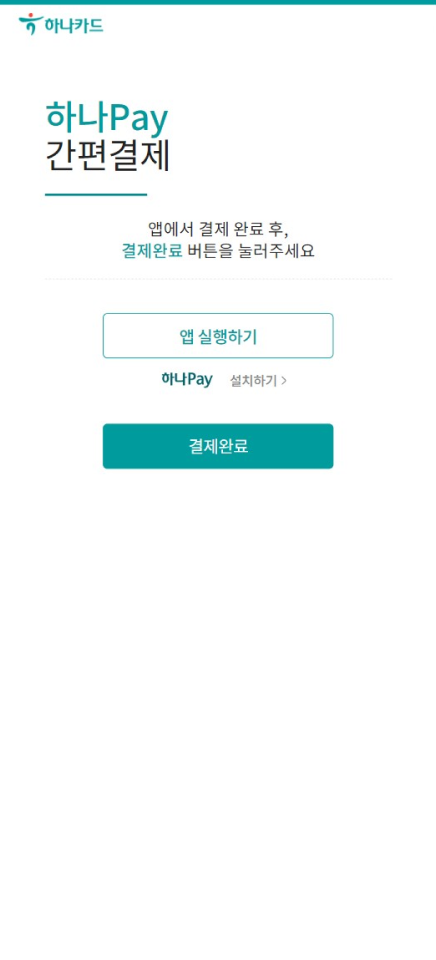
KEB Hana Card mobile authentication page showing Hana Pay app payment, Toss Bank payment, SMS payment, and general payment options. KEB Hana Card mobile Hana Pay page with Launch App button, Hana Pay install link, and Payment Complete confirmation button.
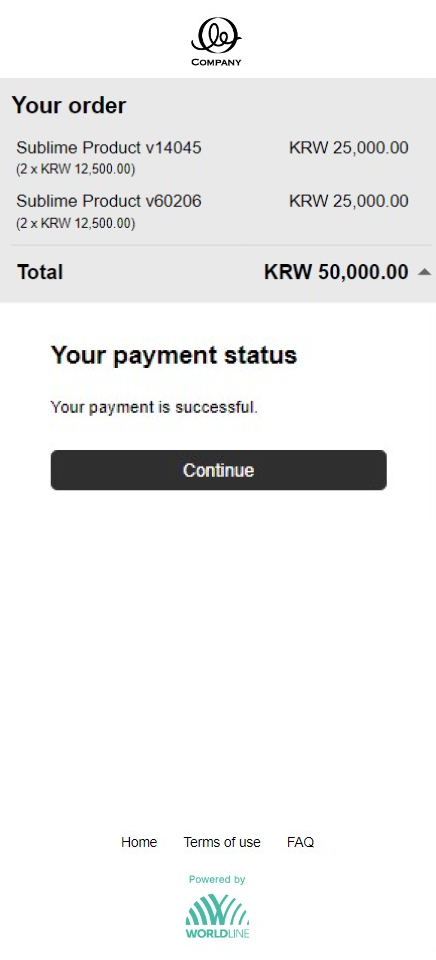
  1. Click "Continue" to proceed and get redirected back to the source website.
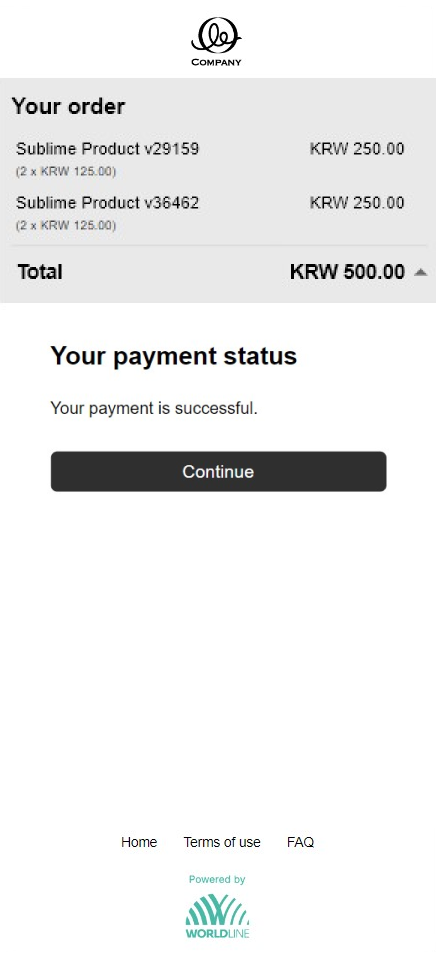
Mobile payment status page showing KRW 50,000.00 order summary with two items and Your payment is successful confirmation message.

Next Reporting