This site requires javascript to be enabled.

Mercado Pago Skip to main content
Worldline Connect Home Page

Results for

Results for Searching

Consumer experience

Desktop flow

  1. Select Mercado Pago as payment method and confirm to continue.
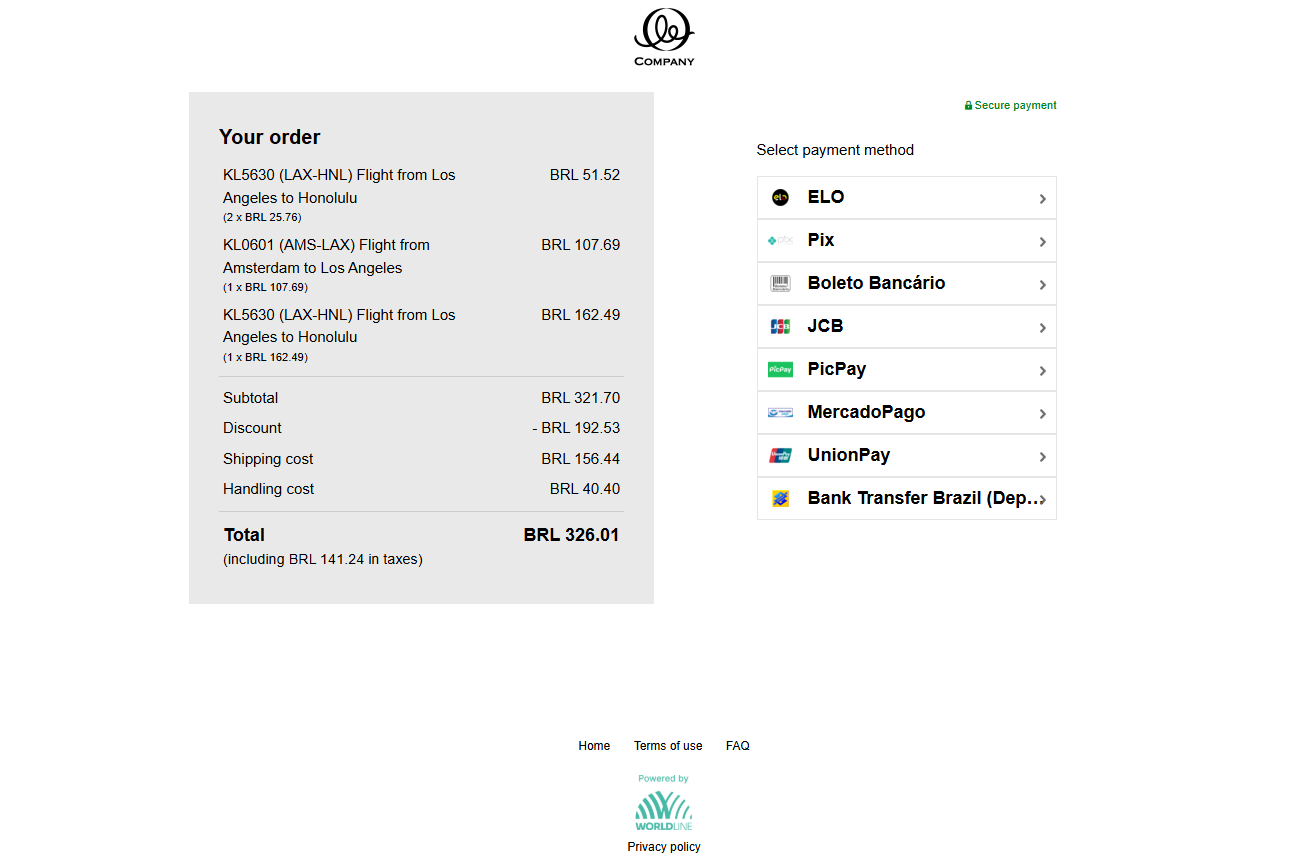
Checkout page showing BRL 326.01 order total and payment method list with ELO, Pix, Boleto Bancário, JCB, PicPay, MercadoPago, UnionPay, and Bank Transfer Brazil.

  1. Complete the form with the personal data needed as name, surname, e-mail address and fiscal number and click pay.
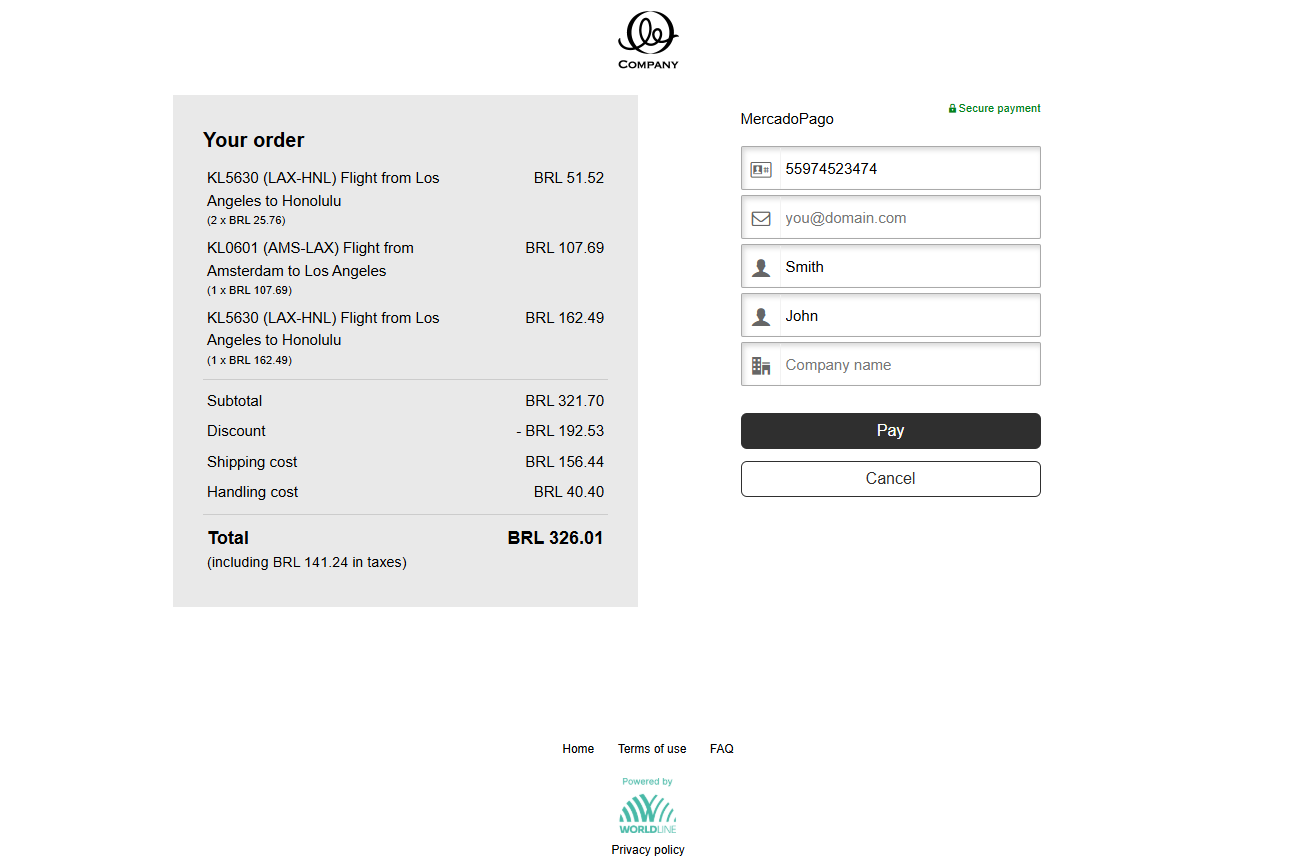
MercadoPago payment form showing BRL 326.01 order summary with fields for phone, email, surname, first name, company, and Pay button.

  1. Select the payment method within the Mercado Pago website and complete the payment.
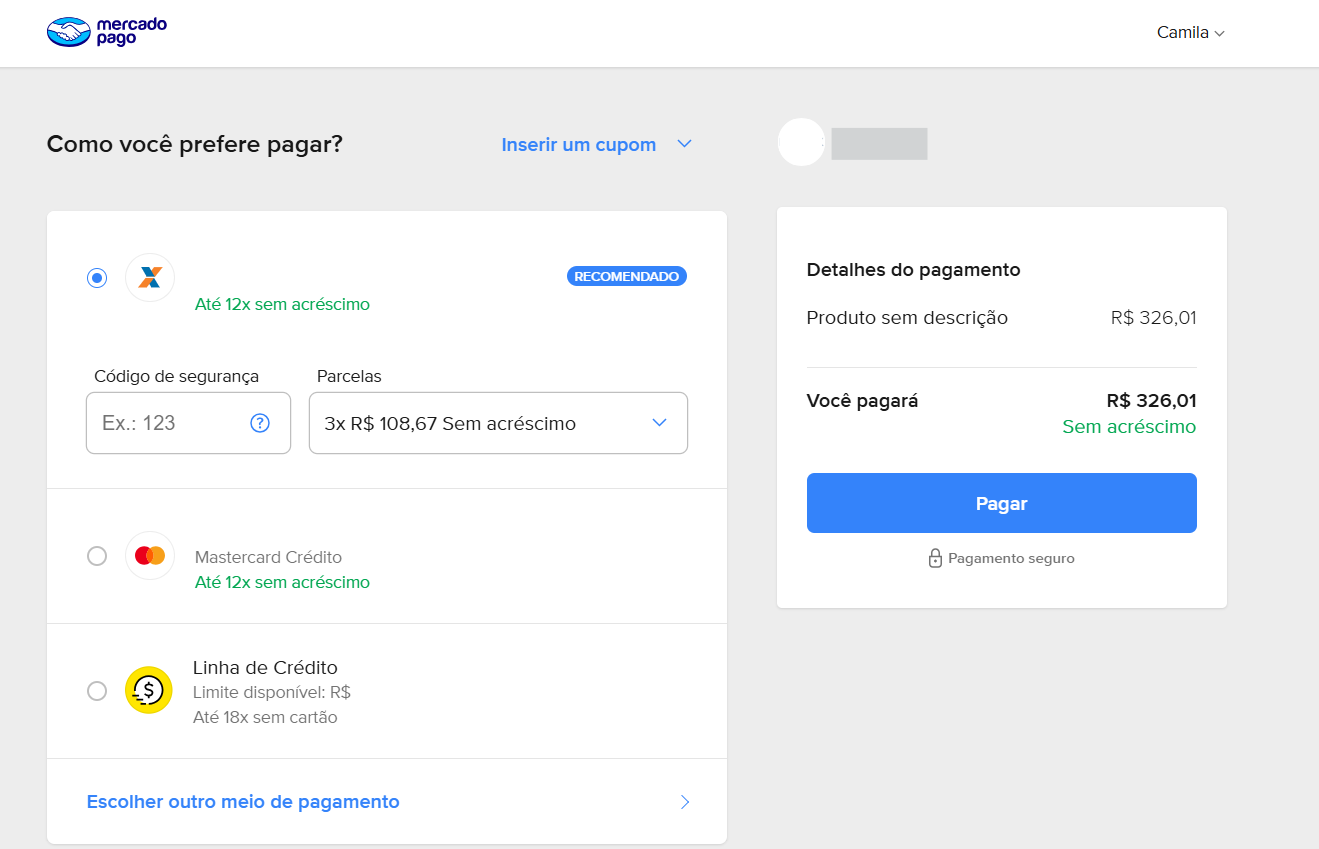
MercadoPago checkout page showing BRL 326.01 payment with installment options, Mastercard Crédito, credit line, CVV field, and Pagar button.

Desktop flow with bank app

  1. Select Mercado Pago as payment method.

Checkout page showing BRL 326.01 order total and payment method list with ELO, Pix, Boleto Bancário, JCB, PicPay, MercadoPago, UnionPay, and Bank Transfer Brazil.

  1. Fill out the name and CPF (Brazilian Tax ID) information

MercadoPago payment form showing BRL 326.01 order summary with fields for phone, email, surname, first name, company, and Pay button.

  1. After being redirected to the Mercado Pago app, fill in your e-mail address.
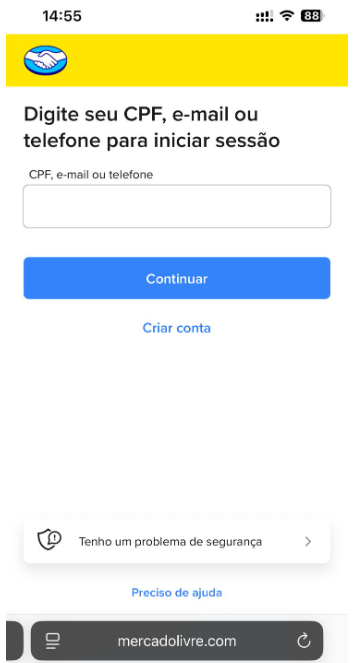
MercadoPago mobile login page prompting for CPF, email, or phone number with Continuar button and create account link.

  1. Select the payment method within the Mercado Pago app and complete the payment.
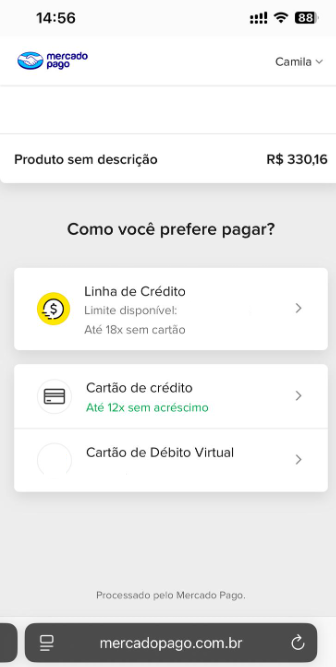
MercadoPago mobile payment page showing R$330.16 order with credit line, credit card, and virtual debit card payment options.

Next Reporting