
Configured Payment Products
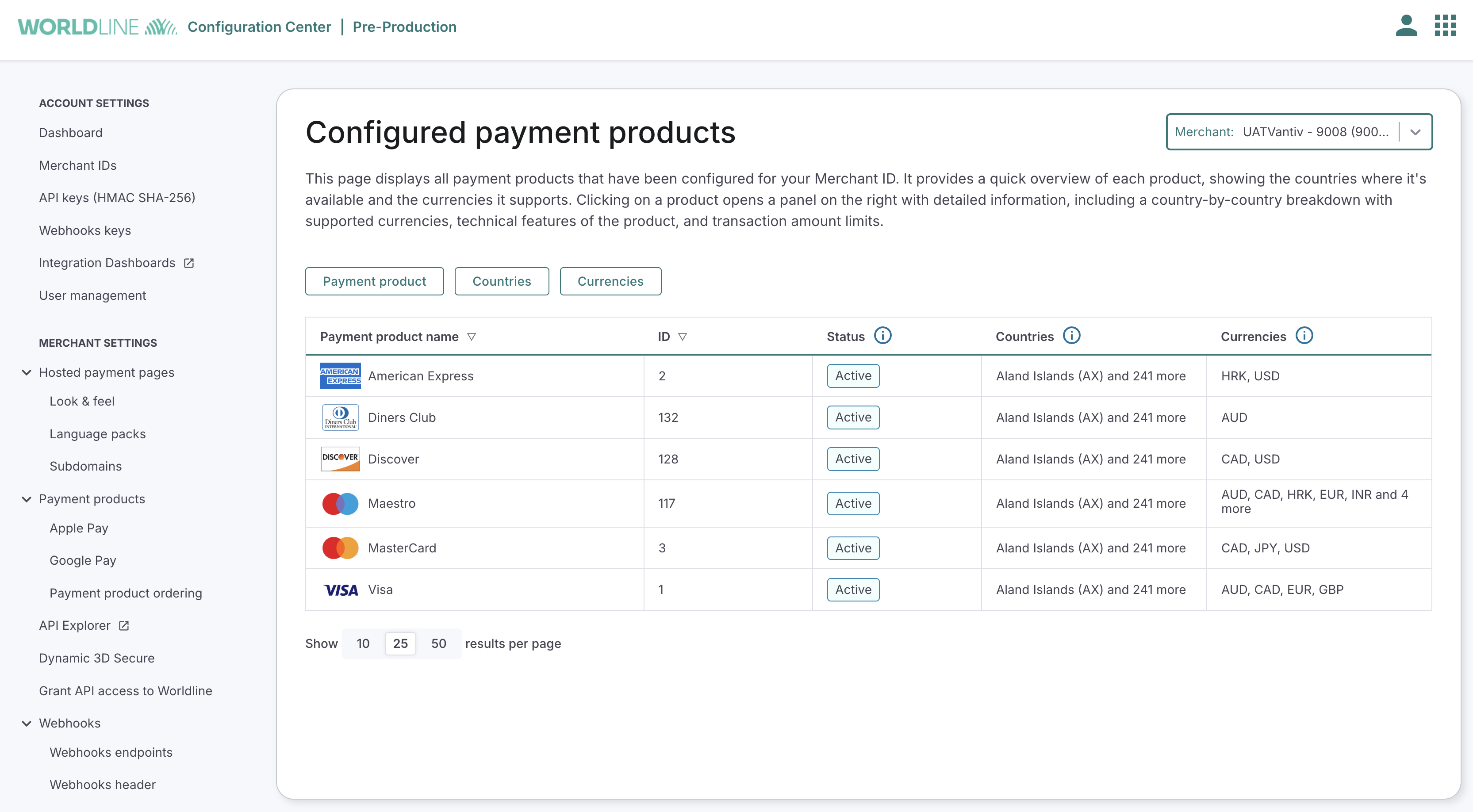
The Configured Payment Products page allows you to view all payment products and functionalities in detail that have been set up for your Merchant ID. From here, you can see where each product is available, which currencies it supports, and view detailed product-specific information.
You can find this page in your Configuration Center under: Merchant Settings > Payment Products > Configured Payment Products When you open the page, you’ll see a table listing all payment products currently configured for your merchant account.
Main Table
- Payment product name – The name of the configured payment product (e.g., Alipay+, Visa).
- ID – The unique identifier of the payment product.
- Status – Shows whether the product is active.
- Countries – A summary of the countries where the product is configured.
- Currencies – A summary of the currencies supported by the product. You will be able to filter and sort products by name, ID, status, country, and currency.
Product Details Panel
Clicking on a product in the table opens a details panel on the right side of the screen. This panel provides a deeper look at the product’s configuration.
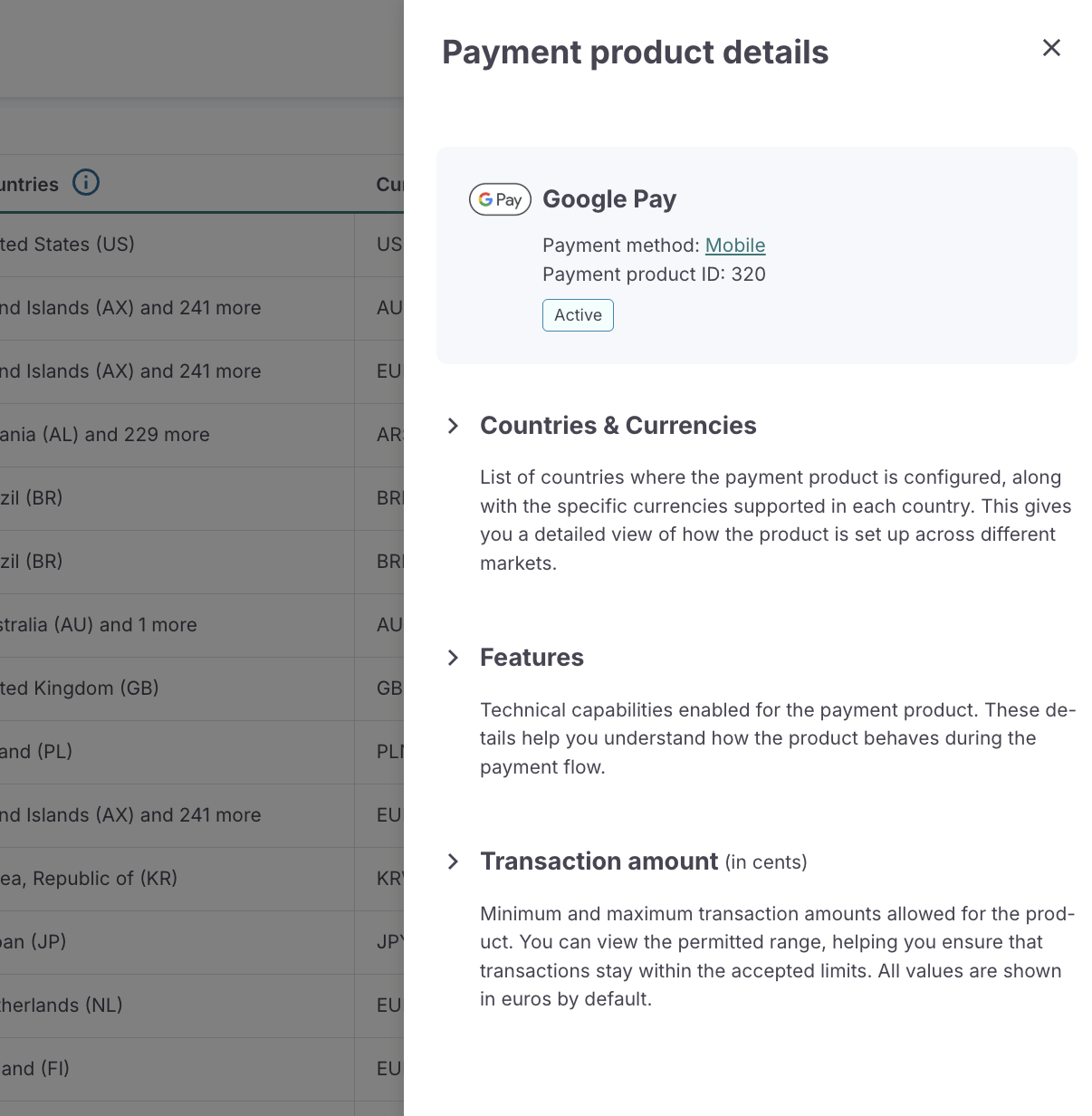
General Information
- Product logo and name
- Short description, including
- Payment method type (e.g., e-wallet, debit card)
- Payment product ID
- Current status
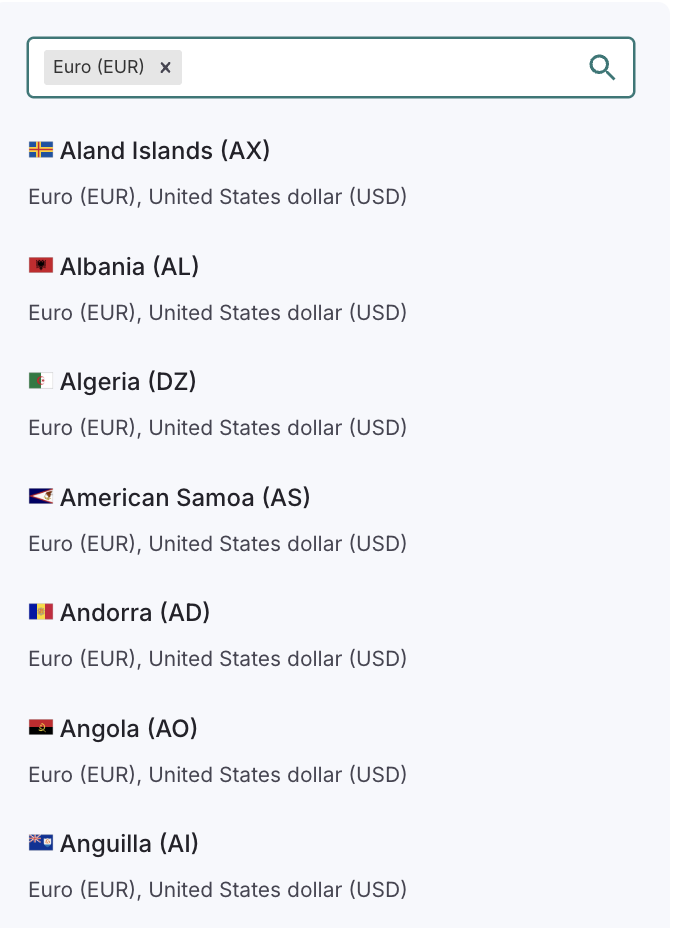
Countries & Currencies
- Full list of countries where the product is configured
- Supported currencies per country (e.g., Malaysia – MY: MYR, USD, EUR)
- It is possible to search by country and/or currency to filter the results.
Features
This section outlines the technical capabilities of the product.
- 3D Secure: Shows if authentication is Mandatory, Optional, or Not needed
- Installments: Indicates whether installment payments are supported. If only specific currencies allow installments, you will see Based on availability with a tooltip explaining the conditions
- Delayed captures: Shows whether settlements can be delayed
- Device fingerprint provider: Informs the fraud provider used
- Fraud service: Indicates if fraud prevention is Mandatory, Optional, or Disabled
- Recurring: Shows whether the product supports recurring transactions
- Tokenization: Shows whether card details can be tokenized
- Iframe: Indicates whether the product can be displayed in an iframe (for redirect products)
Transaction Amounts
This section shows the minimum and maximum transaction amounts allowed for the product. Default display is in euros (EUR), for each supported currency, both minimum and maximum permitted amounts are displayed.