

Process flows
Below, you'll find a detailed explanation of the statuses for payments across various flows. In order to integrate PSE, please refer to our API Reference
Transaction states
- CREATED – initial state of a transaction. If a transaction remains in this state, it indicates a problem.
- REDIRECTED – we have provided the redirect details and are waiting for the consumer to complete the payment. If this state persists, it means we haven't retrieved the final status from the bank yet. Successful payments will resolve automatically.
- CAPTURED – the transaction was completed successfully, and we have received confirmation that the funds are on their way.
- PAID – we have collected the funds and will begin the remittance process to you.
- REJECTED – the transaction was rejected by either us or the bank. This is the final state.
- CANCELLED – the payment was canceled by Alipay+. Cancellation can only happen on the Alipay+ side.
- REFUNDED – state indicates that the transaction has been successfully reversed, and the funds have been returned to the consumer.
Payment flow
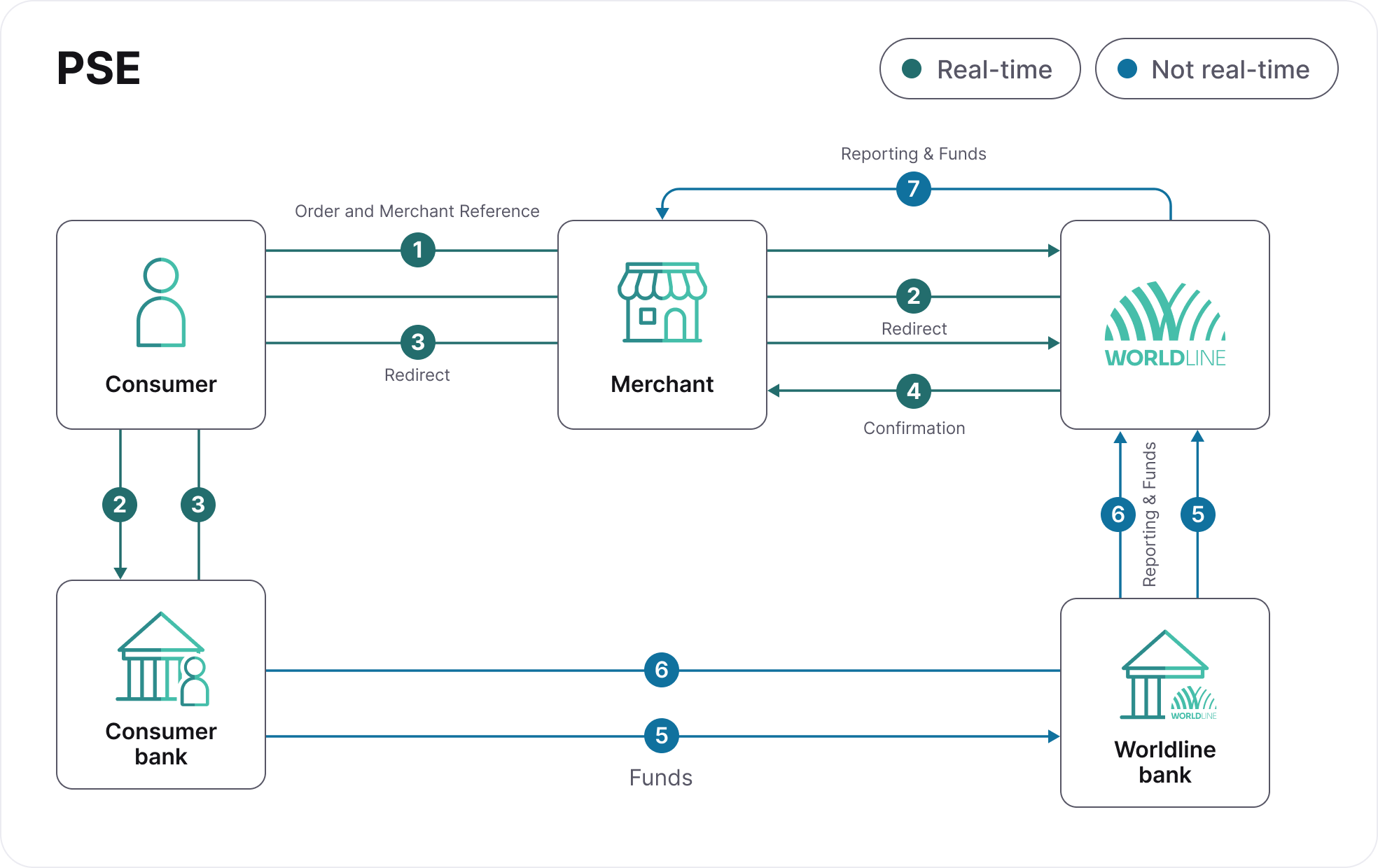
In order to integrate PSE, please refer to our API Reference
- The consumer places an order and selects PSE as the payment option.
- The consumer is redirected to PSE page to insert their e-mail address and select their bank.
- The consumer is redirected to their bank app and completes the payment.
- The payment status is updated and communicated to you, and the consumer is redirected to the returnURL sent on the payment request.
- The consumer's bank sends the funds and references to the PSE provider, which is forwarded to us.
- We receive the funds and gather statements to process all incoming payments.
- We remit the funds and provide you with a detailed report.