
- Overview
- Countries & currencies
- Integration
- Process flows
- Testing
- Additional information
- Consumer experience
- Reporting
- FAQ
Reporting
Insights
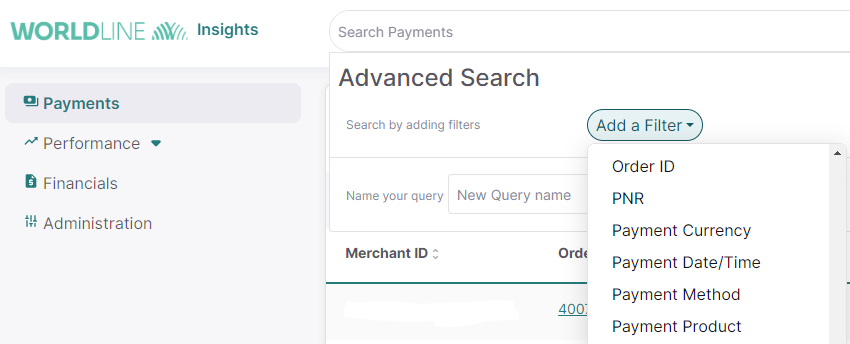
Step 1 – In the advanced search, please add a filter for Payment Product.
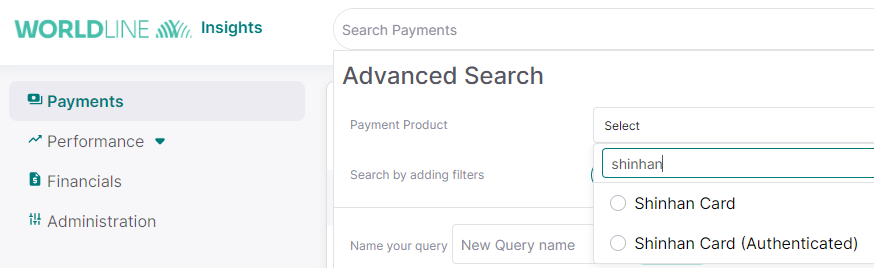
Step 2 - Search for Shinhan Card (Authenticated).
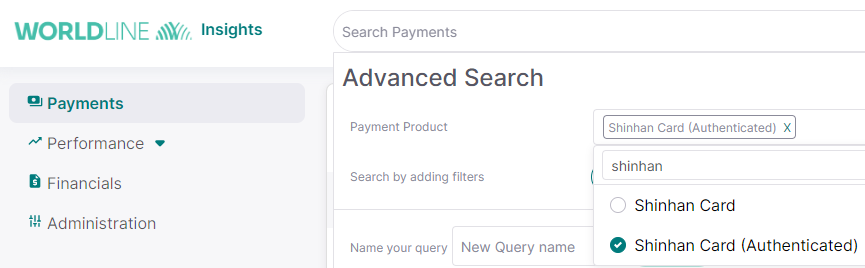
Step 3 - Select Shinhan Card (Authenticated) to add as a filter for the search option and proceed further.
Scheduled reports
In the daily transactional reports, known as the WX file, the Shinhan Card (Authenticated) transactions will be shown as Real-time Banking transactions. This report will contain information about the following:
- payments: XIP (Captured Payment), +IP (Payment Received), -IP (Correction of Payment)
- refunds: -RF (Refund), +RF(Correction of Refund)
- reversal (chargeback): -RI (Reversal of Payments, Chargeback) ; +RI (Correction on Reversal, Chargeback Refunds)
All the reports will be shared via secure file transfer (SFT), details for which you'll get during technical onboarding.
Next FAQ